By John Walden
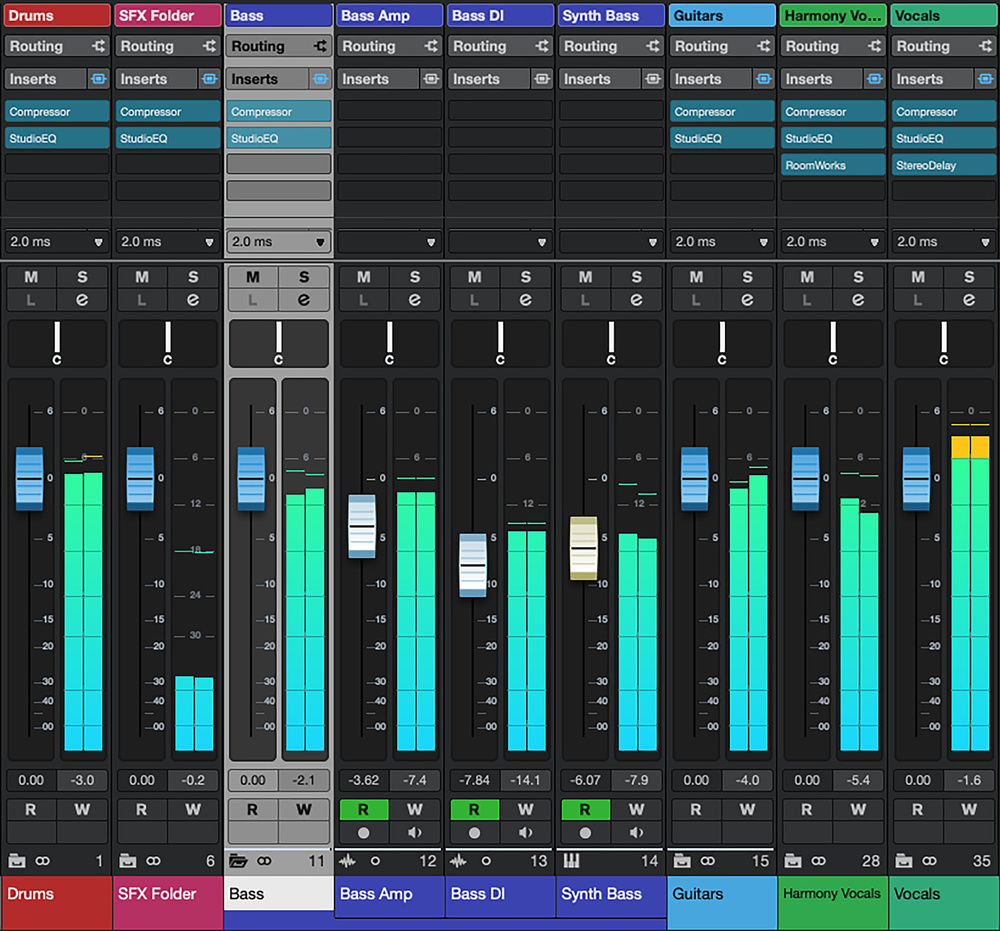 The new combined Folder/Group tracks/channels now appear within the MixConsole and can be opened (as the Bass Folder is here) or closed, providing genuinely useful additional channel visibility options as track/channel counts rise.
Could the new Folder Track features in Cubase help you better organise your projects?
Once a Cubase project’s track count starts to grow, two of its track types can be really helpful in keeping things organised, efficient and under control: Folder Tracks and Group Channels (or, as labelled in the Operation Manual PDF, ‘Group Channel Tracks’!). The former are essentially just containers that let you organise tracks in the Project window, and quickly control their visibility. The latter provide all the features of a standard audio‑carrying channel (inserts, sends, EQ, the Channel Strip etc) but also help you organise the audio routing in more complex projects, allowing Cubase’s MixConsole to emulate the audio subgroup concept of a traditional hardware mixer. Putting both to full use makes managing more complex projects a whole lot easier, but both have been around for quite some time now...
Groups Meet Folders, Folders Meet Groups
In the recent Cubase 15.0.20 update of Cubase Pro, Artist and Elements, though, Steinberg sprang a bit of a surprise: it’s now possible to merge the functionality of Folders and Groups into what you might think of as a ‘super‑Folder’. It’s optional, so the tried and trusted options are still available, but now, when adding a Folder Track to your project (as shown in the screenshots), you have the option to enable Group Track‑like capabilities for any Folder you create. You can also add this capability to existing Folders, of course.
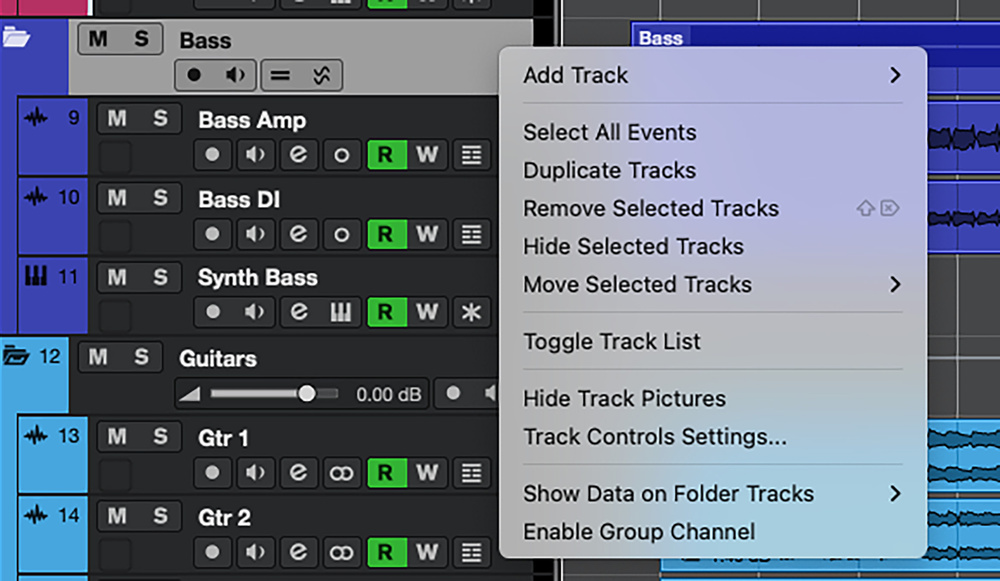 If you have an old‑school Folder within your project, the Enable Group Channel option lets you easily convert it to the new format.
This combined Folder/Group Track option is a feature some users have been requesting for years, probably because a number of other DAWs already facilitate such an approach, so it’s great to see it in Cubase. So, with ‘Folders As Groups’ now official A Thing, let’s consider what it can do for your project management and workflow — and whether there are any catches.
Convenience (In) Store
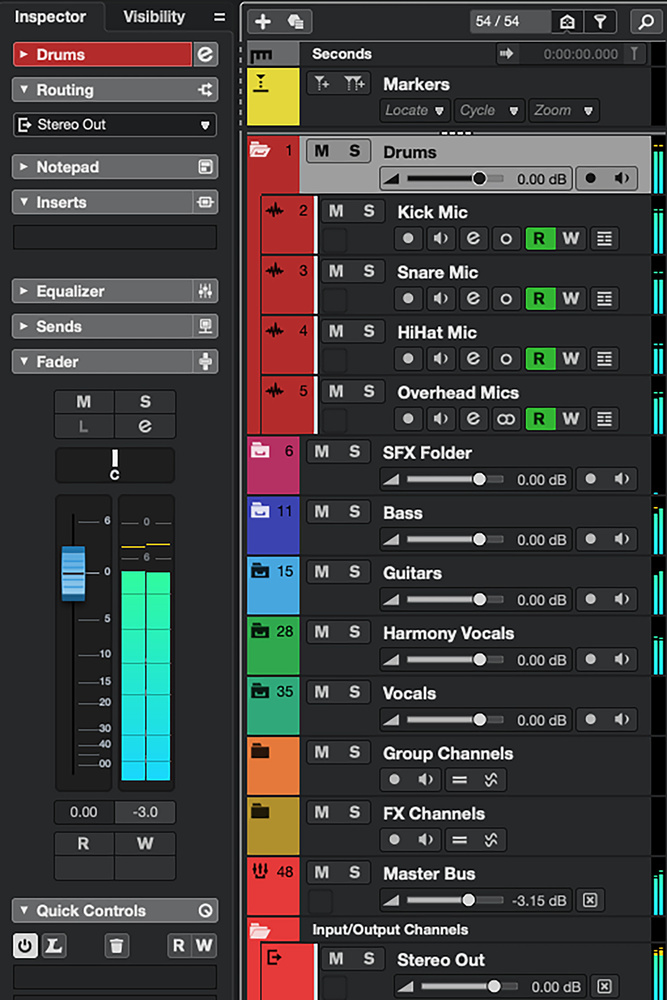 The new Folders can be opened/closed as before within the Project window’s Track List but, as shown within the Inspector panel, they now also have full audio capabilities.
As soon as your track count requires vertical scrolling of the Project window’s Track List, the convenience of using Folders is abundantly apparent. Whether the new Folder type or the old ones, probably the most obvious strategy is to add one for each subset of your tracks (drums, bass, guitars, keys, vocals...).
With the appropriate tracks placed in each of your (sensibly named) Folders, you can use them in the Project window for the Folder’s long‑standing primary...

No comments:
Post a Comment