Thursday, November 6, 2014

Q Are impedance mismatches causing my vocals to sound harsh and aggressive?
Sound Advice : Recording
Hugh Robjohns
I work in a facility where AES3 110Ω cables have been used to connect some splitter outputs to mic preamps. What kind of influence, if any, can this ‘impedance mismatching’ have on the signal quality? I find the sound from the vocal booth generally quite harsh and aggressive, with excessive sibilance. To add extra complexity to the picture, the preamps are Focusrite Isa 430s with variable input impedance! Thanks for your help.

Vincent Ladriere, via email.
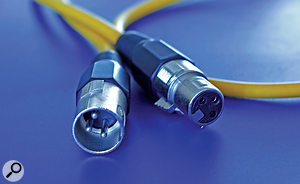
Not all balanced XLR cables have the same ‘characteristic impedance’ — but is this something the home recordist really needs to concern themselves with?Not all balanced XLR cables have the same ‘characteristic impedance’ — but is this something the home recordist really needs to concern themselves with?SOS Technical Editor Hugh Robjohns replies: In short, none at all. There is no impedance mismatching here because analogue microphones and preamplifiers do not operate in an impedance–matched environment. They operate within a strict voltage–matched interface, where the load impedance is roughly 10 times higher than the source impedance. The ability to change the preamp’s input impedance affects the way the microphone is loaded, which in turn alters the tonality with some dynamic and transformer–coupled mics — but it still has nothing to do with a matched-impedance operating environment!
All cables have a ‘characteristic impedance’ and most balanced mic cables are around 100Ω or so. However, this nominal cable impedance only becomes significant and relevant when used to pass signals within an impedance–matched interface arrangement, and even then only for signal frequencies over 1MHz or so (ie. digital audio signals), or in cable runs over 10 of kilometres in length (as with telephone lines, for instance). None of these conditions apply in a simple studio mic-to-preamp connection, which is only a few 10 of metres long at most, carries no significant audio above 20kHz or so, and operates in a voltage–matched environment.
It’s worth noting that the AES decided upon the use of a nominal 110Ω cable impedance for the AES3 digital interface specification precisely because that is what most standard studio mic cables exhibit. The original idea was for people to be able to run AES3 digital audio using standard studio cables to make it a ‘familiar and friendly’ interface. Unfortunately, that was a flawed concept, mainly because standard studio mic cables have way too high a capacitance for conveying digital signals in the MHz region, and that’s why very low–capacitance balanced cable is available for AES3 applications. However, the low capacitance is not a bad thing for analogue audio either, and so it is very common to standardise on AES3–compatible cabling when wiring new installations.
I can guarantee that the source of the harsh, aggressive, and sibilant sound you’re complaining about has nothing to do with the cabling. I would suggest that it’s actually due to a combination of the vocal booth’s acoustics, the microphone choice, and the mic placement, and these are the areas in which you need to experiment to find a solution.
Hugh Robjohns
I work in a facility where AES3 110Ω cables have been used to connect some splitter outputs to mic preamps. What kind of influence, if any, can this ‘impedance mismatching’ have on the signal quality? I find the sound from the vocal booth generally quite harsh and aggressive, with excessive sibilance. To add extra complexity to the picture, the preamps are Focusrite Isa 430s with variable input impedance! Thanks for your help.
Vincent Ladriere, via email.
Not all balanced XLR cables have the same ‘characteristic impedance’ — but is this something the home recordist really needs to concern themselves with?Not all balanced XLR cables have the same ‘characteristic impedance’ — but is this something the home recordist really needs to concern themselves with?SOS Technical Editor Hugh Robjohns replies: In short, none at all. There is no impedance mismatching here because analogue microphones and preamplifiers do not operate in an impedance–matched environment. They operate within a strict voltage–matched interface, where the load impedance is roughly 10 times higher than the source impedance. The ability to change the preamp’s input impedance affects the way the microphone is loaded, which in turn alters the tonality with some dynamic and transformer–coupled mics — but it still has nothing to do with a matched-impedance operating environment!
All cables have a ‘characteristic impedance’ and most balanced mic cables are around 100Ω or so. However, this nominal cable impedance only becomes significant and relevant when used to pass signals within an impedance–matched interface arrangement, and even then only for signal frequencies over 1MHz or so (ie. digital audio signals), or in cable runs over 10 of kilometres in length (as with telephone lines, for instance). None of these conditions apply in a simple studio mic-to-preamp connection, which is only a few 10 of metres long at most, carries no significant audio above 20kHz or so, and operates in a voltage–matched environment.
It’s worth noting that the AES decided upon the use of a nominal 110Ω cable impedance for the AES3 digital interface specification precisely because that is what most standard studio mic cables exhibit. The original idea was for people to be able to run AES3 digital audio using standard studio cables to make it a ‘familiar and friendly’ interface. Unfortunately, that was a flawed concept, mainly because standard studio mic cables have way too high a capacitance for conveying digital signals in the MHz region, and that’s why very low–capacitance balanced cable is available for AES3 applications. However, the low capacitance is not a bad thing for analogue audio either, and so it is very common to standardise on AES3–compatible cabling when wiring new installations.
I can guarantee that the source of the harsh, aggressive, and sibilant sound you’re complaining about has nothing to do with the cabling. I would suggest that it’s actually due to a combination of the vocal booth’s acoustics, the microphone choice, and the mic placement, and these are the areas in which you need to experiment to find a solution.
Wednesday, November 5, 2014
Q Why does the instrument input of my audio interface always clip?
Sound Advice : Mixing
Hugh Robjohns
I've been searching to find a sensible answer to this question to no avail. Using my Focusrite USB interface, even with a minimum input gain setting, recording any traditional, passive guitar plugged straight into the high-Z input results in clipping overloads. I've found this can be avoided by using the pad switch at the same time as the high-Z switch, or using an external DI box with a pad engaged, or not using the high-Z switch on the interface (ie. using a standard line-level input).
The volume differences make it quite hard to compare these solutions by ear, so is there a technically correct way of dealing with this? The popular Internet forum advice to lower 'lower the pickups relative to the strings' and 'turn the guitar volume pots down' appear pretty ridiculous to me...
Via SOS web site

SOS Technical Editor Hugh Robjohns replies: This is a recognised design problem on some of the smaller Scarlett interfaces, I'm afraid.Some early Scarlett interfaces had a problem with low headroom, causing the instrument input to clip — this has been improved considerably on later versions. (The later Scarlett instrument-input circuitry was designed with a higher headroom margin.) If the clipping goes away by switching in the pad, then your work is done: the instrument input mode provides the right impedance for the guitar, and the pad provides the right level. Unfortunately, this solution won't work with all interfaces, as the pad isn't always functional on the instrument inputs. The buffer on the instrument input is normally a unity-gain design and placed before the pad in the signal path, so the only thing to watch out for is overload distortion in the input buffer itself. If it sounds clean then there's no downside to this solution.
Alternatively, you could use an external active DI box and route its output into the interface via a mic input channel. The DI box will provide the requisite high input impedance to satisfy the guitar, while simultaneously reducing the signal to mic level — and the mic preamp should then have enough gain range to set an appropriate recording level.
Connecting the guitar to the interface via a line input will not present the appropriate high-impedance load, so although the levels might be better, the tonality and playability will suffer badly.
Regarding the 'Internet solutions', those suggestions will reduce the guitar's output level — so they're logical offerings and will work to some degree. However, they will both inherently alter the tone and playability of the guitar, and so are inappropriate and unhelpful suggestions from that perspective.
Hugh Robjohns
I've been searching to find a sensible answer to this question to no avail. Using my Focusrite USB interface, even with a minimum input gain setting, recording any traditional, passive guitar plugged straight into the high-Z input results in clipping overloads. I've found this can be avoided by using the pad switch at the same time as the high-Z switch, or using an external DI box with a pad engaged, or not using the high-Z switch on the interface (ie. using a standard line-level input).
The volume differences make it quite hard to compare these solutions by ear, so is there a technically correct way of dealing with this? The popular Internet forum advice to lower 'lower the pickups relative to the strings' and 'turn the guitar volume pots down' appear pretty ridiculous to me...
Via SOS web site
SOS Technical Editor Hugh Robjohns replies: This is a recognised design problem on some of the smaller Scarlett interfaces, I'm afraid.Some early Scarlett interfaces had a problem with low headroom, causing the instrument input to clip — this has been improved considerably on later versions. (The later Scarlett instrument-input circuitry was designed with a higher headroom margin.) If the clipping goes away by switching in the pad, then your work is done: the instrument input mode provides the right impedance for the guitar, and the pad provides the right level. Unfortunately, this solution won't work with all interfaces, as the pad isn't always functional on the instrument inputs. The buffer on the instrument input is normally a unity-gain design and placed before the pad in the signal path, so the only thing to watch out for is overload distortion in the input buffer itself. If it sounds clean then there's no downside to this solution.
Alternatively, you could use an external active DI box and route its output into the interface via a mic input channel. The DI box will provide the requisite high input impedance to satisfy the guitar, while simultaneously reducing the signal to mic level — and the mic preamp should then have enough gain range to set an appropriate recording level.
Connecting the guitar to the interface via a line input will not present the appropriate high-impedance load, so although the levels might be better, the tonality and playability will suffer badly.
Regarding the 'Internet solutions', those suggestions will reduce the guitar's output level — so they're logical offerings and will work to some degree. However, they will both inherently alter the tone and playability of the guitar, and so are inappropriate and unhelpful suggestions from that perspective.
Q How do I emulate a real drum sound using EZdrummer?
Sound Advice : Recording
Mike Senior
I’m currently trying to emulate the drum sound on the recent Lower Than Atlantis song ‘Here We Go’ using EZdrummer, and I have each drum component going to its own channel to be mixed, before sending the kit as a whole to a bus where I then apply reverb. Each component of the kit will have some degree of compression applied to it, so would it then be overkill to add more compression to the kit as a whole on the bus channel? I just find this then helps bring the kit ‘together’, but I’m concerned that it might be a bit fatiguing on the ear or detrimental in some other way. I use Stillwell Audio’s Rocket compressor, because I like my drums to sound like they’re having the crap beaten out of them, and that compressor gives EZdrummer that power and punch.

Given the control you have over the performance of MIDI–triggered drum instruments such as EZdrummer 2 (pictured), you may find when it comes to compression that you can focus more on group channels such as room (or ‘ambience’) mics and overheads, and less on the close-miked kit pieces.Given the control you have over the performance of MIDI–triggered drum instruments such as EZdrummer 2 (pictured), you may find when it comes to compression that you can focus more on group channels such as room (or ‘ambience’) mics and overheads, and less on the close-miked kit pieces.SOS forum post
SOS contributor Mike Senior replies: That song is pretty extravagantly compressed, I grant you, and in a general sense any compression setting is fair game as long as you like the sound of it; there’s no need to second–guess yourself on that count. However, if you’re already working with a MIDI–triggered drum instrument which effectively gives you complete control over the simulated performance, then one of the fundamental roles of compression is rendered redundant, namely its ability to make the performance more even. As such, I’d concentrate more on what compression has to offer in terms of shaping per–hit amplitude envelopes and adding appealing tonal coloration/distortion. In this context, I’d expect to be using more compression on ‘mixed’ channels such as the overheads or room signals (and indeed the whole drum mix) than on individual ‘virtual mic’ channels, because it’s easy to stamp the life out of each drum’s attack if you’re not careful — and you need all the life you can get when you’re working with virtual drums as it is!
I’d also suggest expanding your repertoire of compressor plug–ins. It’s not that I don’t like Rocket — I use it regularly — but it’s very fast, which means that if you rely on it for everything you may lose too much transient definition across the board. It’s also a compressor with a particular tonal character and it may not suit some sounds as well as it does others. If you like the Stillwell plug–ins, then try out Bombardier too, which works especially well for mixed bus signals because of its automatic attack/release time, RMS window, and side–chain contouring options.
Another thing to notice about this Lower Than Atlantis mix, though, is that the amount of drum room sound and/or reverb being used varies a great deal during the song. With that in mind, be careful how you compare your own work–in–progress with this production. If you reference against the verses (where it’s easier to hear the details of the sound) you’ll almost certainly mix too dry, and the temptation may then be to over-compress your own sound to achieve greater sustain during your choruses. Automation is the way to avoid problems here — consider riding up the room–channel and reverb–return faders for the more high–energy moments of the arrangement.
Mike Senior
I’m currently trying to emulate the drum sound on the recent Lower Than Atlantis song ‘Here We Go’ using EZdrummer, and I have each drum component going to its own channel to be mixed, before sending the kit as a whole to a bus where I then apply reverb. Each component of the kit will have some degree of compression applied to it, so would it then be overkill to add more compression to the kit as a whole on the bus channel? I just find this then helps bring the kit ‘together’, but I’m concerned that it might be a bit fatiguing on the ear or detrimental in some other way. I use Stillwell Audio’s Rocket compressor, because I like my drums to sound like they’re having the crap beaten out of them, and that compressor gives EZdrummer that power and punch.

Given the control you have over the performance of MIDI–triggered drum instruments such as EZdrummer 2 (pictured), you may find when it comes to compression that you can focus more on group channels such as room (or ‘ambience’) mics and overheads, and less on the close-miked kit pieces.Given the control you have over the performance of MIDI–triggered drum instruments such as EZdrummer 2 (pictured), you may find when it comes to compression that you can focus more on group channels such as room (or ‘ambience’) mics and overheads, and less on the close-miked kit pieces.SOS forum post
SOS contributor Mike Senior replies: That song is pretty extravagantly compressed, I grant you, and in a general sense any compression setting is fair game as long as you like the sound of it; there’s no need to second–guess yourself on that count. However, if you’re already working with a MIDI–triggered drum instrument which effectively gives you complete control over the simulated performance, then one of the fundamental roles of compression is rendered redundant, namely its ability to make the performance more even. As such, I’d concentrate more on what compression has to offer in terms of shaping per–hit amplitude envelopes and adding appealing tonal coloration/distortion. In this context, I’d expect to be using more compression on ‘mixed’ channels such as the overheads or room signals (and indeed the whole drum mix) than on individual ‘virtual mic’ channels, because it’s easy to stamp the life out of each drum’s attack if you’re not careful — and you need all the life you can get when you’re working with virtual drums as it is!
I’d also suggest expanding your repertoire of compressor plug–ins. It’s not that I don’t like Rocket — I use it regularly — but it’s very fast, which means that if you rely on it for everything you may lose too much transient definition across the board. It’s also a compressor with a particular tonal character and it may not suit some sounds as well as it does others. If you like the Stillwell plug–ins, then try out Bombardier too, which works especially well for mixed bus signals because of its automatic attack/release time, RMS window, and side–chain contouring options.
Another thing to notice about this Lower Than Atlantis mix, though, is that the amount of drum room sound and/or reverb being used varies a great deal during the song. With that in mind, be careful how you compare your own work–in–progress with this production. If you reference against the verses (where it’s easier to hear the details of the sound) you’ll almost certainly mix too dry, and the temptation may then be to over-compress your own sound to achieve greater sustain during your choruses. Automation is the way to avoid problems here — consider riding up the room–channel and reverb–return faders for the more high–energy moments of the arrangement.
Subscribe to:
Posts (Atom)